Red X'es?
The maps in this atlas are made using a variety of different styles which are provided with different products. If you see
red X'es in the map you just downloaded, check out the 'Required Products' map note found in the downloaded map, it lists all the products
you need to have installed to view that particular map properly.
Note that these products can be either official ProFantasy add-ons, and/or the free community packs found in the forum.
Also note that some maps have additional resources provided with the map. These are included when you download the complete atlas,
but if you download single maps, you also need to download any required map resources (if present), and put them in the correct folder.
World
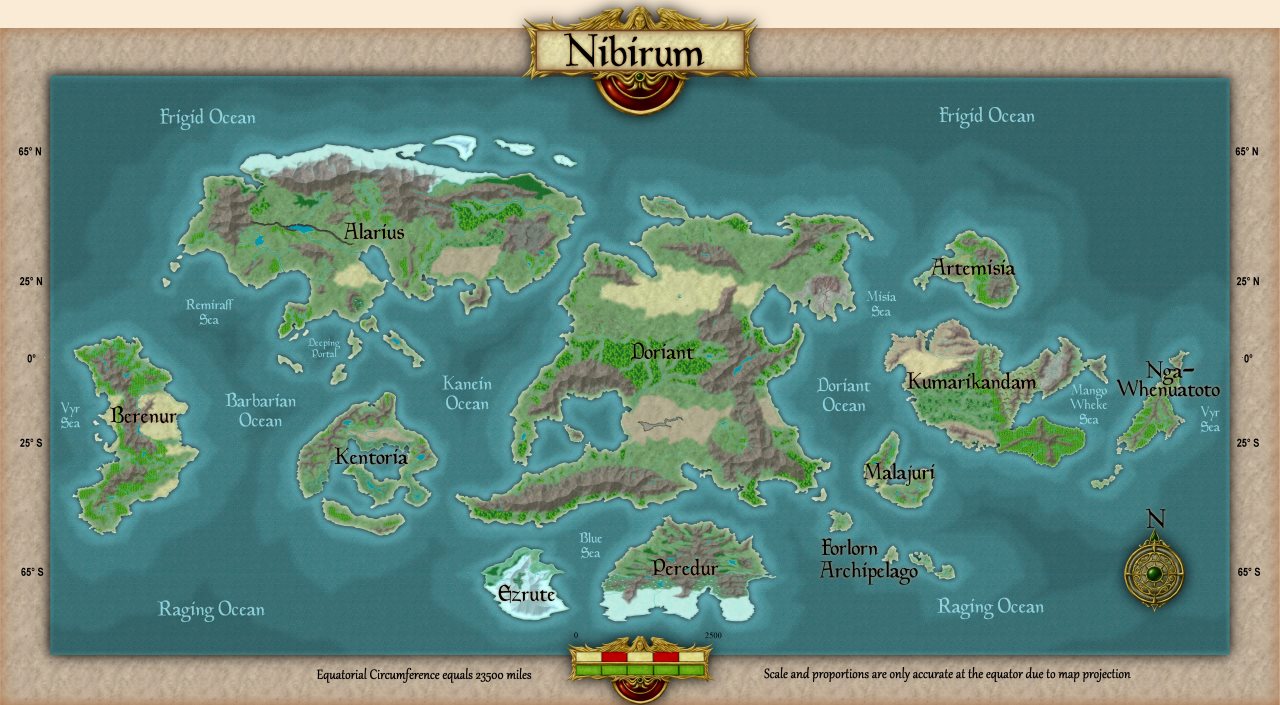
Navigate the maps by clicking the active regions on each map. Remember that this is just a preview of the maps,
go to the downloads section to download them in CC3+ format or click the High Resolution button for a high resolution PNG image.
Note that you can download individual .FCW files from this page, but obviously the map links in these won't work without the complete atlas.
Note that the shape of continents near the poles are distorted on the world map due to map projection issues. The individual continent maps will show the true shape and size of these continents. This is especially noticable for the continents of Ezrute and Peredur.
Please do not link directly to files or images on this server. Either link to the atlas main page (https://atlas.monsen.cc), or for links to individual maps, use the link that appears below each map in the map browser. Thank you.
This Atlas is a community project, and is not affiliated with ProFantasy Software Ltd.
 Red X'es?